QIUI Key Pod vs Metal vs Pro compared on documented rows: connections, timer and membership conditions — with undocumented cells honestly marked.
This guide is not medical advice. Stop use if significant pain, numbness, swelling, discoloration or circulation concerns occur.
One product family, three names, and a comparison that collapses unless each model is pinned to its own listing. The Original, the Metal and the Pro share an app ecosystem and differ in body, connection and service model — the details worth a table, honestly filled from what each listing states.
This guide builds that table, marks the undocumented cells as exactly that, and leaves the ranking where it belongs: to your routine. The family’s connection logic is in the connection comparison.
Which exact model is each listing?
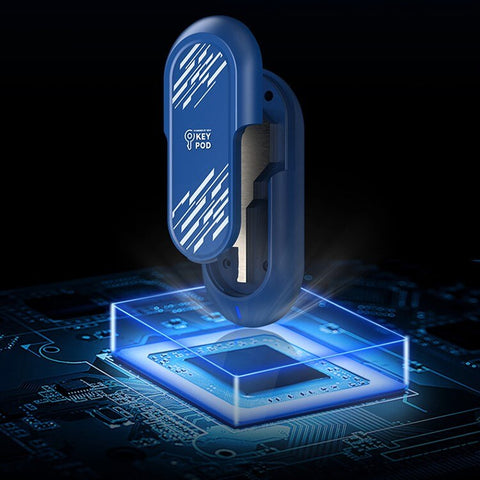
The Original Key Pod is the listing titled key-pod-key-box: the family’s standard app-connected box with Bluetooth support and USB-C charging. The Metal Key Pod is the metal-bodied model adding a listed offline timer. The Key Pod Pro is the cellular-capable model whose listed cellular setup requires an active QIUI VIP membership. Three URLs, three hardware identities — check the listing you’re on before importing any spec from its siblings.
Model confusion is the family’s most common review error too: features announced for one model get reviewed under another’s name. Your table starts with the URL row — each model’s own page, open while you read.
How do storage dimensions differ?
This is where the documented table gets honest gaps: the family’s listings do not publish a comparable internal-cavity dimension set for all three models in their readable specifications. The Metal Pod’s fit question is covered in its own sizing guide; the Original’s and Pro’s cavity dimensions are seller questions until stated. Not documented is the correct table entry — not a number guessed from photos.
If cavity size decides your purchase (and with key boxes, it usually does), one message to the seller covering all three models’ internal dimensions converts the whole family to comparability in a single reply.
QIUI Key Pod — Original
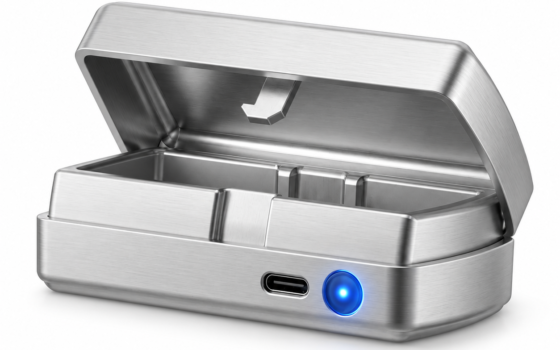
The Original — the family’s standard app-connected box: The original QIUI Key Pod is an app-connected physical-key box with listed Bluetooth support and USB-C charging. Compare this exact model with the Metal and Pro versions before choosing. A box that stores the key is not an electronic replacement for the lock on your cage.
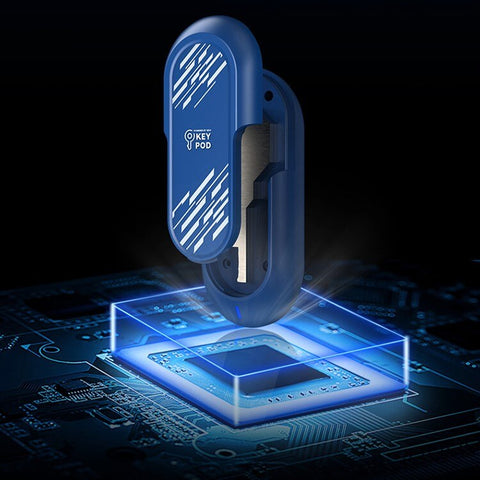
QIUI Smart Key Holder – App-Controlled Metal Key Pod
The Metal — Bluetooth, offline timer, metal body: The QIUI Metal Key Pod adds a dedicated metal box for physical keys, with listed Bluetooth/app control, an offline timer and USB-C charging. Choose it for managing the key rather than replacing the cage itself. Keep an independent emergency-access arrangement outside any timed box.

Which connection features belong to which version?
Per the listings: Original — Bluetooth app connection, USB-C. Metal — Bluetooth, app control, offline timer, USB-C, metal body. Pro — listed cellular connection and display features, with the VIP membership condition on its cellular setup. The timer belongs to the Metal’s row; cellular belongs to the Pro’s; neither migrates. Borrowed features are the family’s most persistent myth, and the table is its antidote.
Connection choice is the practical fork: local-only (Original, Metal) versus service-dependent reach (Pro) — a decision covered fully in the connection comparison and worth reading before, not after, the model choice.
QIUI Key Pod Pro
The Pro — cellular features under a stated membership condition: The Key Pod Pro is the model to compare for its listed cellular connection and display features. Its published cellular setup requires an active QIUI VIP membership, so check supported service conditions before choosing. Do not use a timed box as your only route to emergency access.

Which claims still need a current manual?
Everything battery (standby versus active figures), everything timer (exact storage behavior on each model), and every service detail around the Pro’s membership: terms, regions, renewal effects on a running setup. The listings open these doors; the maker’s current documentation walks through them. Save the pages you rely on — apps and services change faster than reviews.
With documented rows filled, undocumented marked, and manuals checked, the choice reduces to the two honest axes: which connection dependency suits your routine, and which body suits your key. The family is genuinely good; the table is what keeps its marketing honest.
Three models, one table, zero borrowed specs. Pin each listing to its URL, fill only what it states, mark the rest not documented, and check the manual for anything your routine will depend on. The right Key Pod is the one whose documented row matches your life — the family’s name on the box settles nothing by itself.
This guide includes promotional links to ChastityCage.co. To view all three models, browse QIUI wireless products at ChastityCage.co.